A tablet workspace built around the therapy session.
Therapy Management App is an iPad-first concept for psychotherapy practices in Germany. It brings patient information, session notebooks, forms, and questionnaire analysis together, with a physical handoff of the tablet between therapist and patient when a form needs completing.
For this eight-week university assignment, I chose a problem that interested me and developed an interactive wireframe prototype. I conducted the interviews, organized the responses in Excel, and designed the experience in Figma. My supervisor, a psychologist, supported the research review.
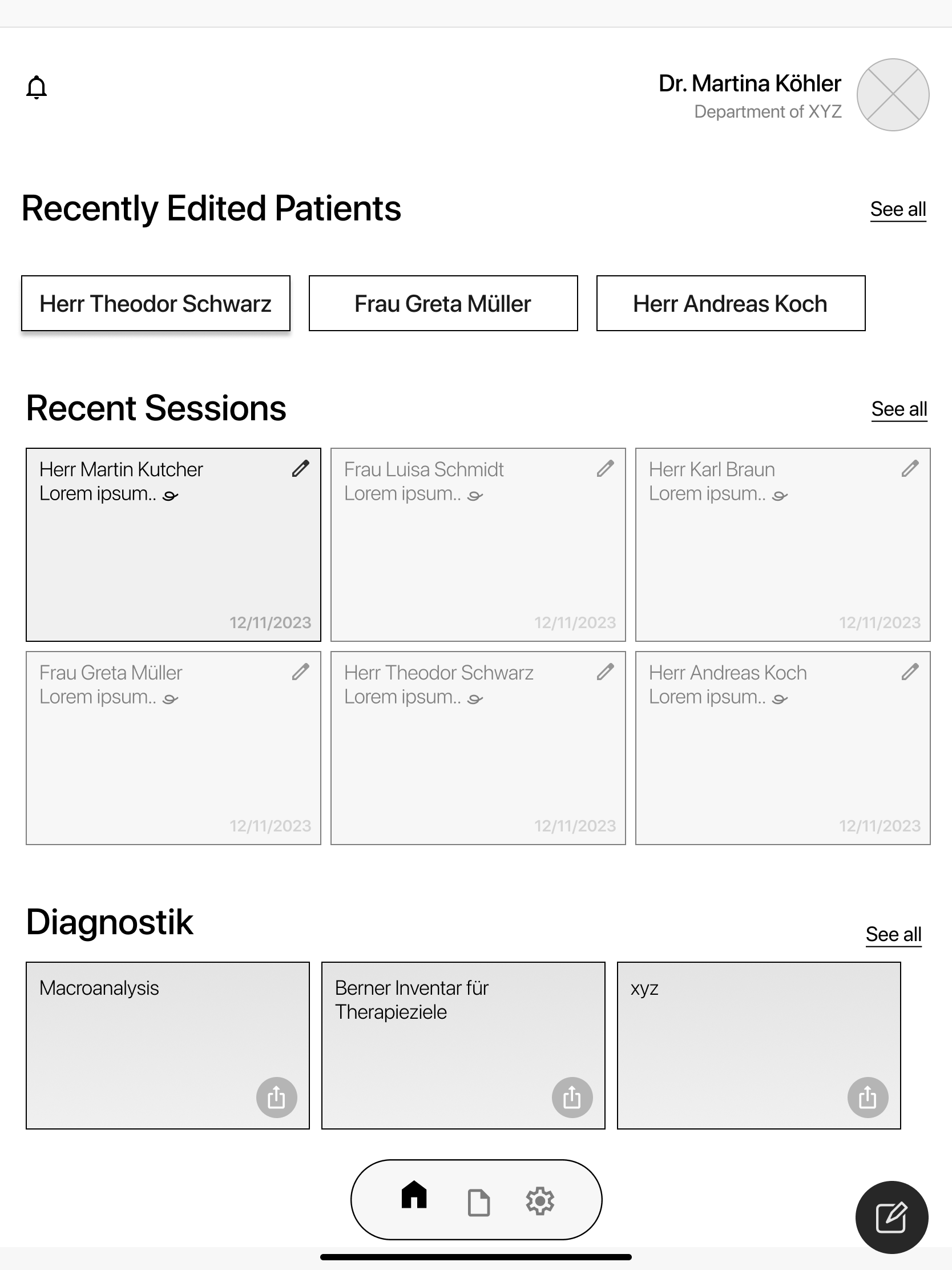
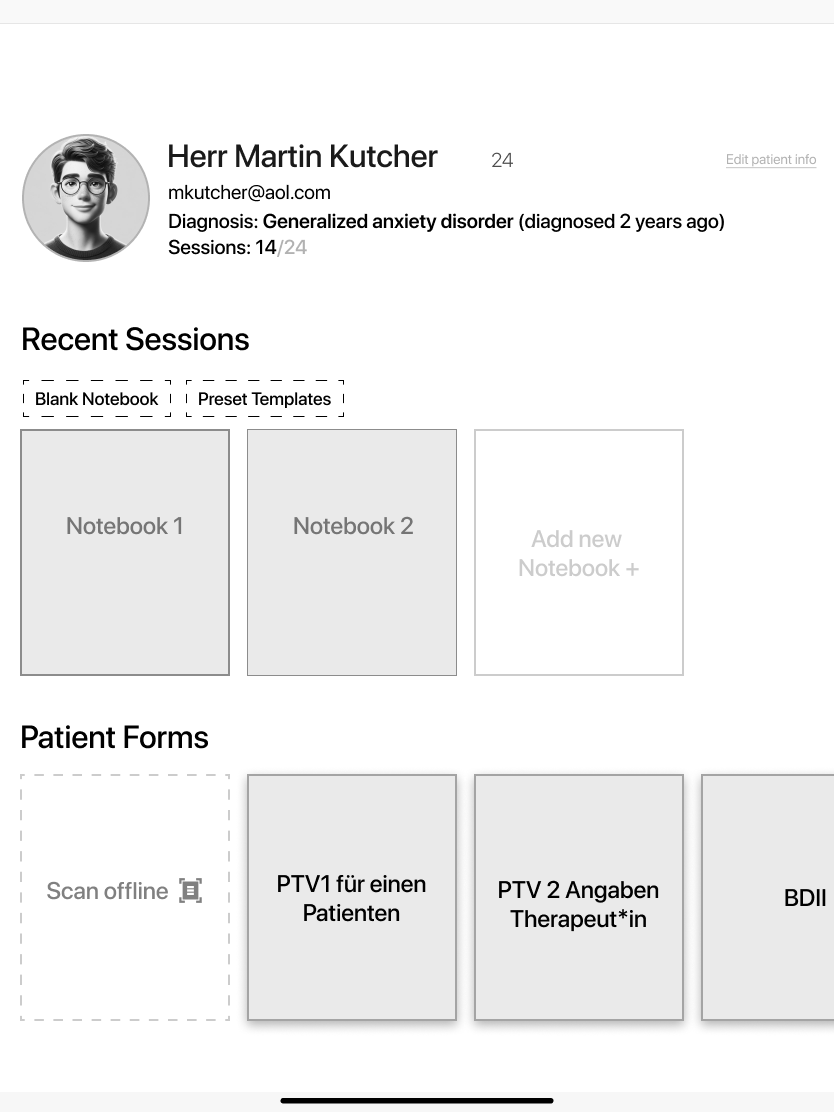
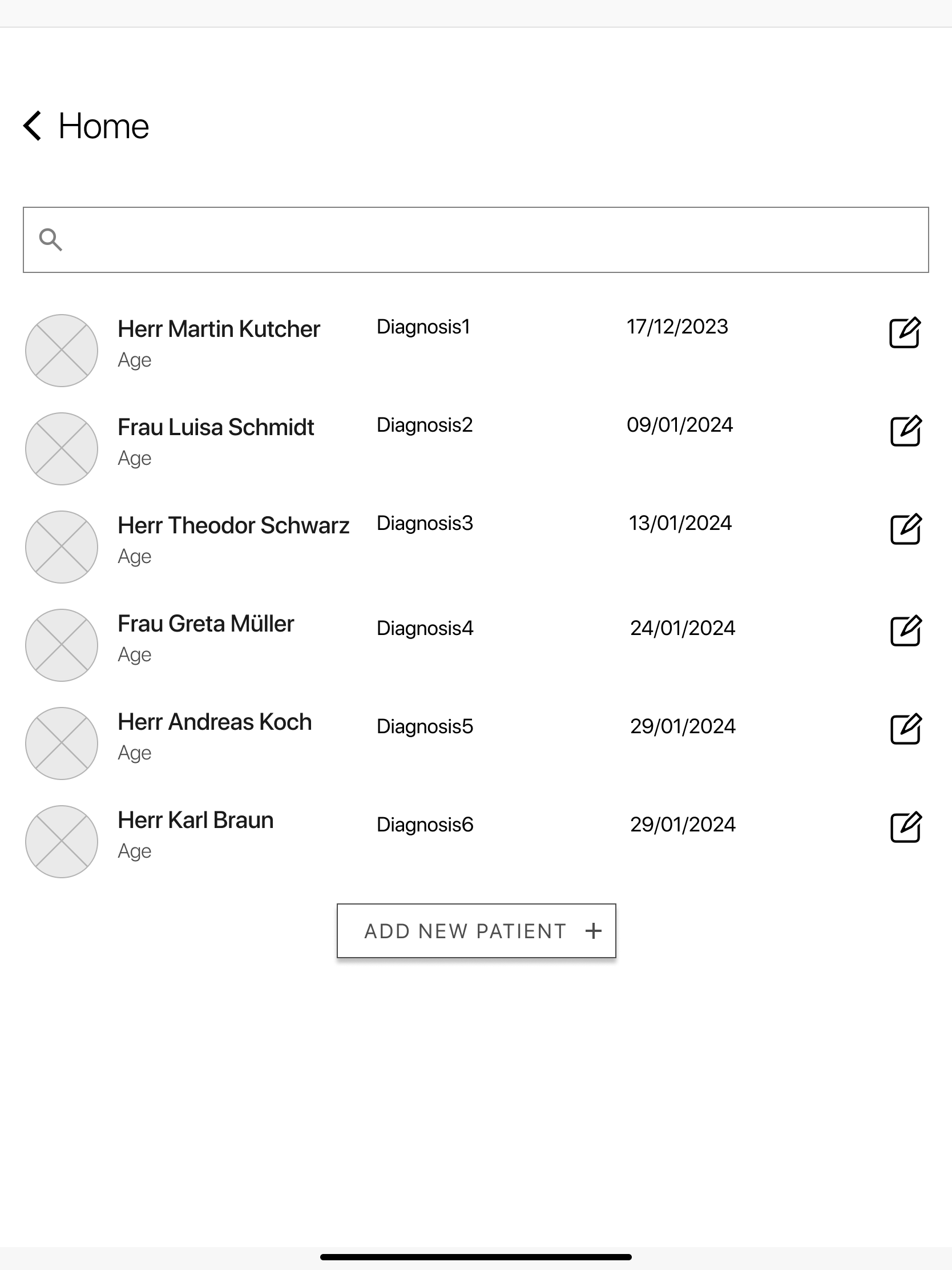
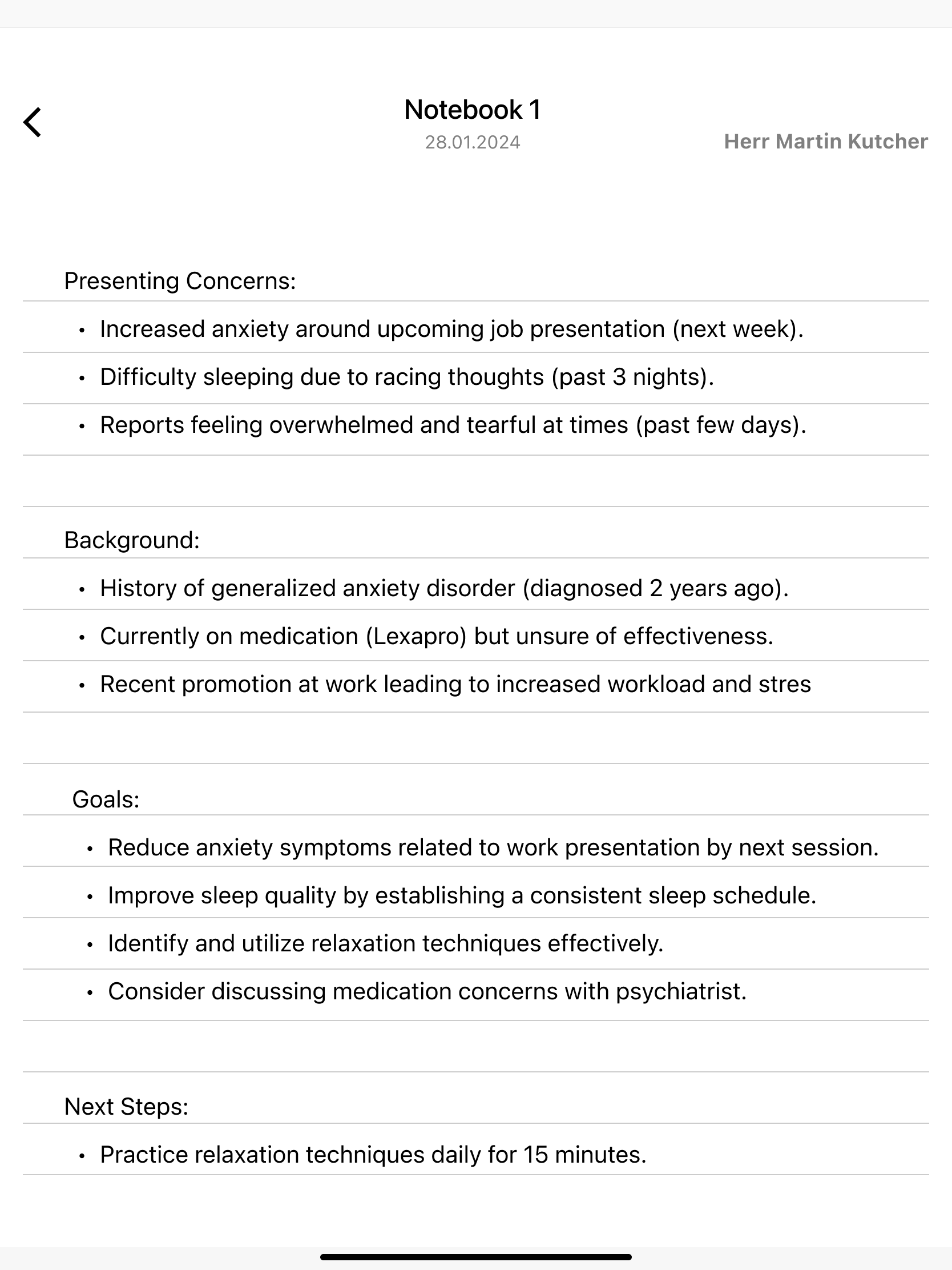
Home brings recently edited patients and session notebooks into view.Patient profiles connect session notes with the forms used during treatment.
Problem
Documentation competes with the attention a session needs.
The research exposed everyday administrative friction: keeping track of paperwork, writing quickly enough during a session, and finding the right information afterward. The two respondents had different needs, so a single workflow had to accommodate both structured documentation and flexible notes.
Practice workflow
Forms, signatures, session counts, and follow-up tasks require ongoing coordination. MK described a heavy paperwork load and time spent on postal processes.
Therapist experience
SR struggled to write quickly and retrieve information from unstructured notes. MK emphasized security, reliability, and avoiding duplicate paper and digital documentation.
How might we bring patient forms and session documentation into one manageable tablet workflow while respecting therapists’ existing ways of working?
Keep patient context close
Place notes, forms, and session information within the patient profile.
Support structured notes
Use repeatable sections and reminders to support documentation.
Respect existing workflows
Include paper scanning and acknowledge concerns about device availability and duplicate records.
Research & Discovery
Two therapist perspectives shaped the scope.
I gathered questionnaire responses from two practising therapists: MK, with seven years of experience in cognitive behavioral therapy, and SR, with six months in behavioral therapy. A third invited participant did not respond. Their answers informed the concept; MK’s later prototype evaluation provided documented feedback for refinement.
01
Paperwork creates an organizational burden
MK described many papers and the effort of tracking remaining sessions, signatures, and questionnaires. Reminders and standardized documentation were recurring needs.
02
Note-taking needs speed and structure
SR reported difficulty capturing important information quickly and finding it later. Prestructured sections and document checklists were requested.
03
Trust includes reliability and access
MK raised strong data-security concerns and the risk of double documentation. SR worried about losing access to notes if the iPad had technical problems.
04
The two therapists did not report identical problems
MK noted delays in postal insurer processes; SR reported no insurer-handoff problems and rarely forgot therapy steps. MK also questioned sharing a device when patients need time outside the session to complete forms.
I also reviewed existing applications, including thrpy and iPrax, alongside practice-management and digital-intake tools. The comparison is being formally documented after the project. The design question was how to connect these tasks within the therapy encounter, rather than whether therapist software existed.
Process & Ideation
From research to a connected wireframe prototype.
The short project moved through discovery, definition, structure, and interactive prototyping. The deliverable focused on wireframes and interactions; refinement continued across multiple sessions.
01
Discover
Understanding Germany’s healthcare processes was the most demanding part of the research. I combined therapist questionnaires with research into existing applications to understand the paperwork, documentation, and handoffs surrounding a session.
02
Define
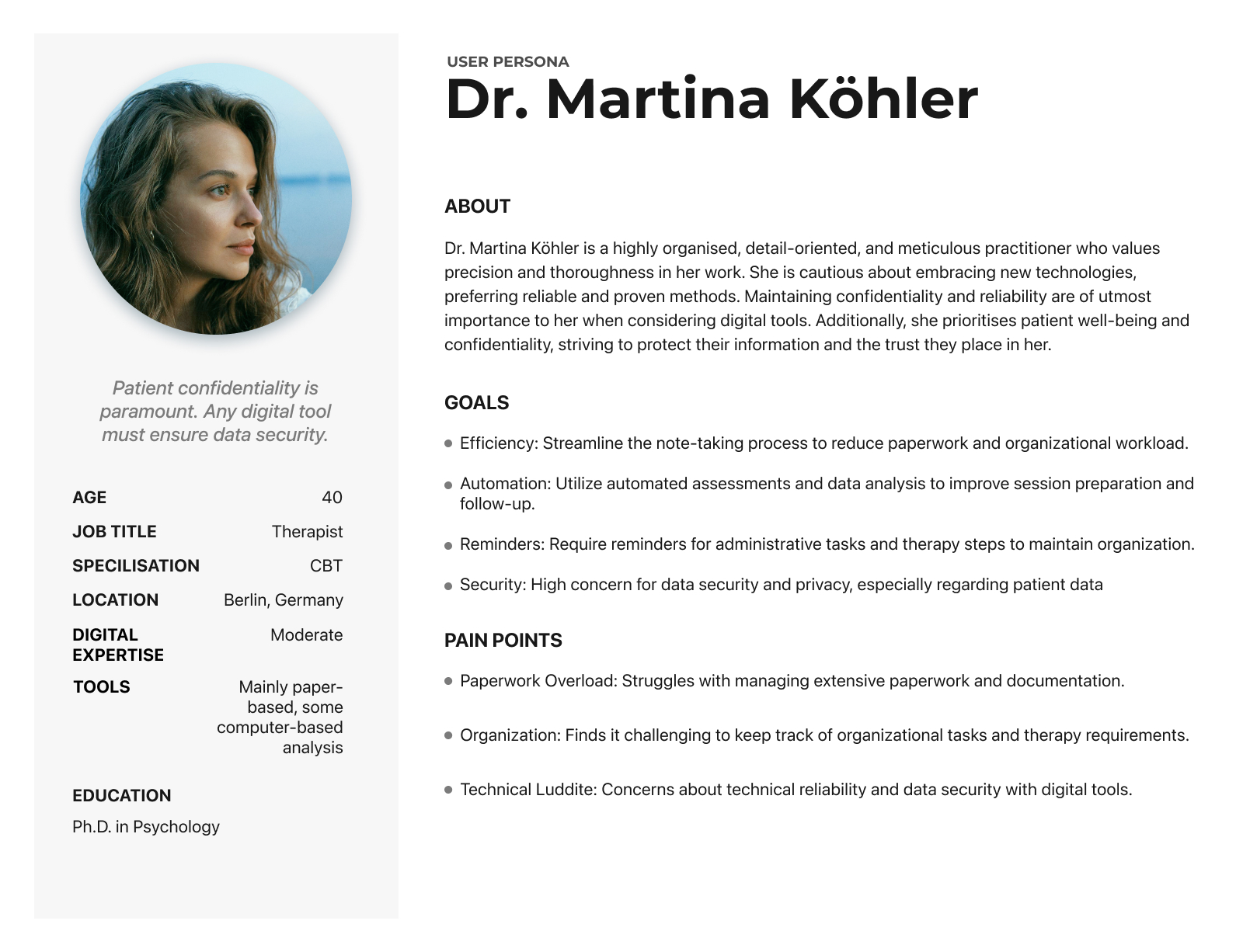
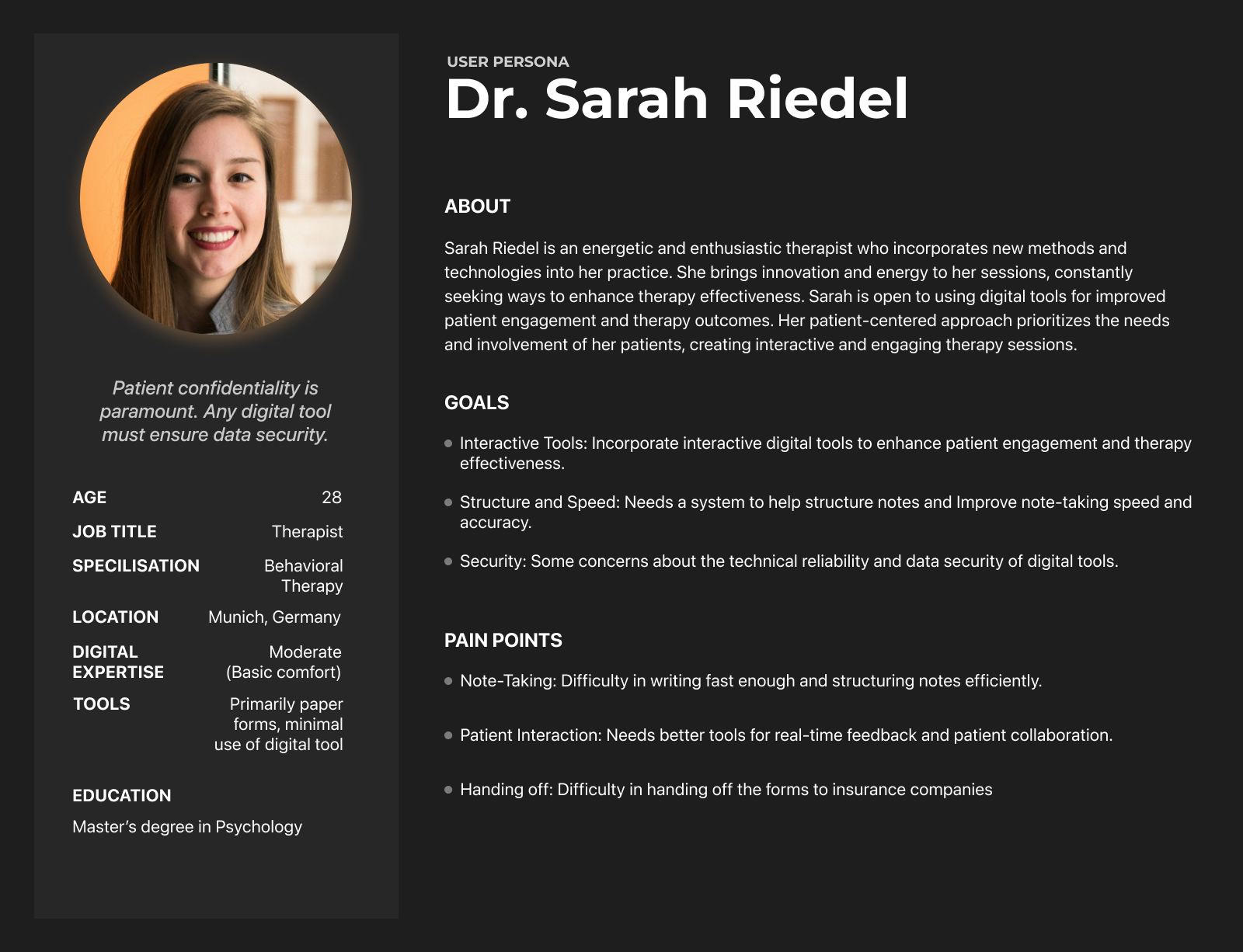
I used working personas to frame differing expectations around organization, digital tools, and patient interaction. I then compared these working assumptions with the specific needs expressed in the interviews.
These are fictional working personas, not profiles of the interview participants. Their names, demographics, biographies, and illustrative quotations should be read as persona material rather than direct interview evidence.
Working persona: Martina. Illustrative identity and background.Working persona: Sarah. Illustrative identity and background.
03
Structure
The patient profile became the meeting point for recent sessions, notebooks, and forms. The main journeys connect finding a patient with taking notes, and completing a questionnaire with reviewing its analysis. PTV forms and external document handoffs were part of the original concept.
04
Prototype
I built a guided interactive prototype in Figma and refined the feature set using user evaluation and my application research. MK’s feedback requested adjusted questionnaire content, predefined notebooks for recurring session types, and diagrams that make questionnaire results easier to understand.
The final wireframes demonstrate the therapist’s path from patient lookup to session notes, then a questionnaire handoff and review of its results. The screens retain their wireframe fidelity and illustrative content.
Find a patient and open the context for the next session.Structured session notes organize concerns, background, goals, and next steps.
Patient forms within the same workspace
The patient completes intake and reviews/signs PTV 1 on the iPad. The therapist completes PTV 2, prepares any necessary clinical report, and reviews, finalizes, signs, and exports the appropriate documents. The concept includes a separate restricted area for the expert report. The supplied wireframe shows the form entries; the signing, access controls, and external handoff are intended product behavior beyond the demonstrated interactions.
The patient profile groups PTV forms and questionnaires beside session notebooks.
From questionnaire to review
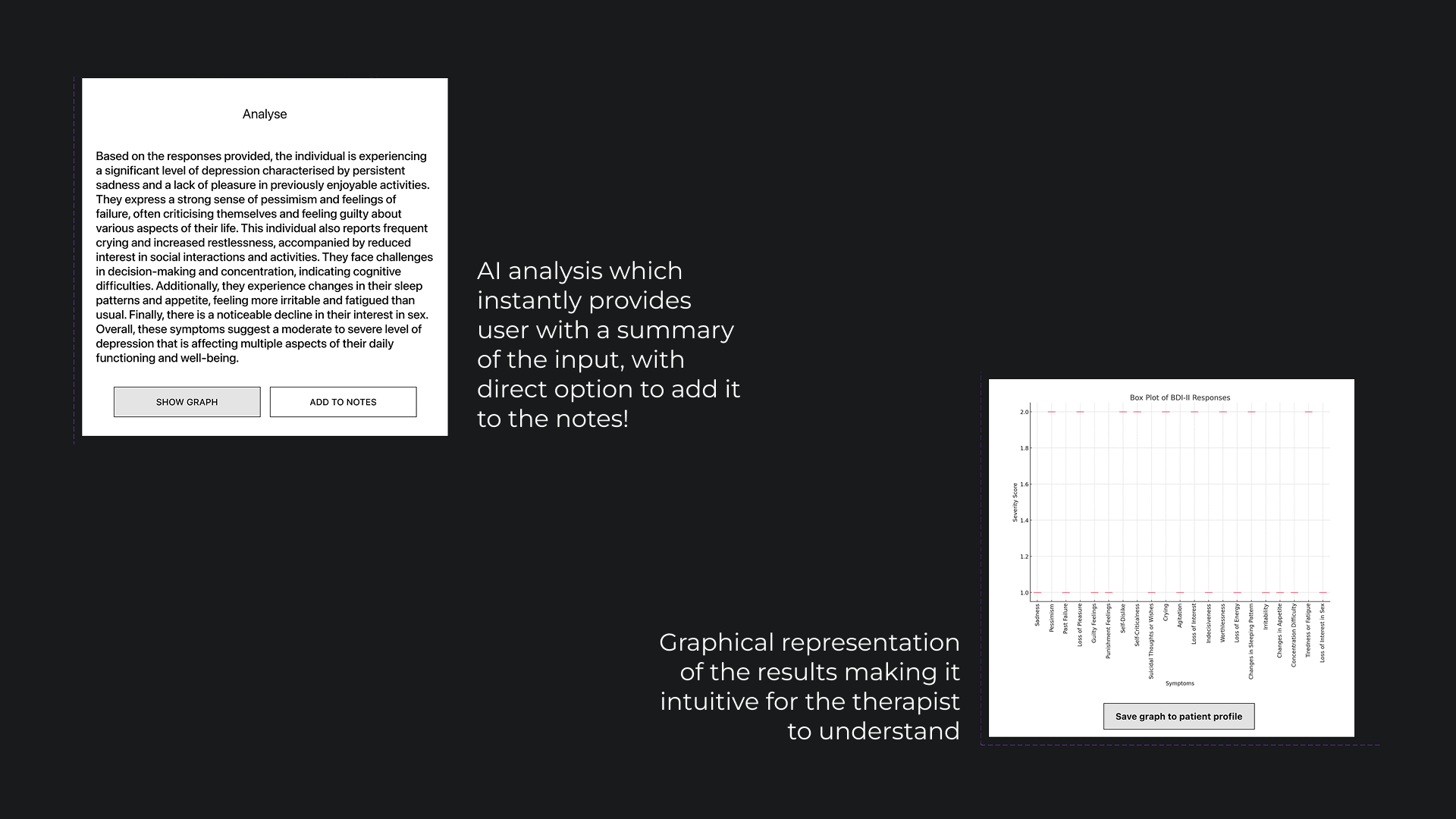
A reminder opens the patient questionnaire. After the tablet is handed back, the therapist can view a sample analysis, add it to notes, or show a graph and save it to the patient profile. The prototype illustrates these interactions; it does not establish clinical accuracy or a live insurer integration.
Proposed analysis interaction, presented as a wireframe.
Watch the prototype
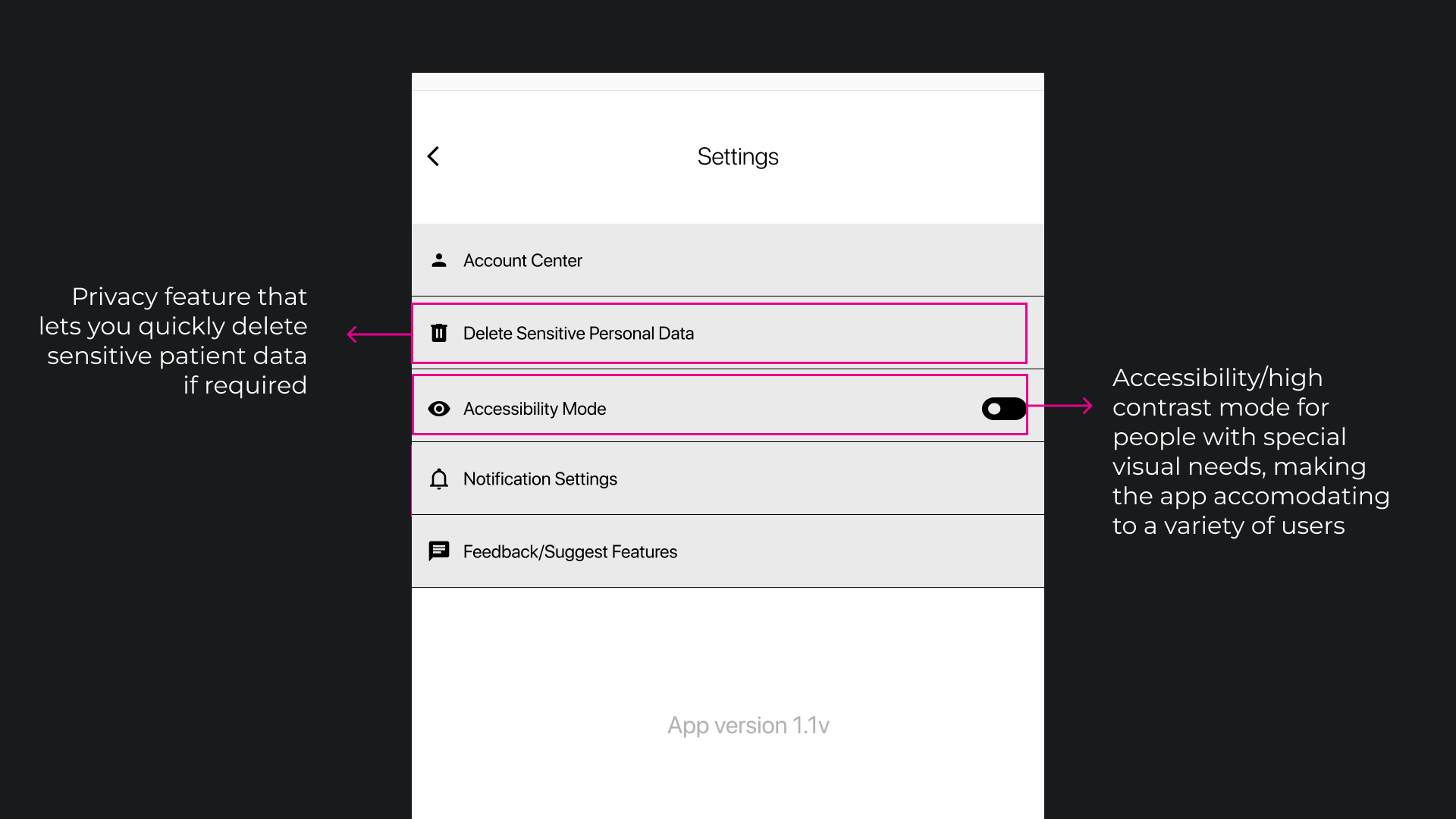
Silent walkthrough: patient lookup, session notes, questionnaire submission, analysis, and graph saving.Settings wireframeSettings explores account, privacy, accessibility, and notification controls.
Outcomes & Impact
The university project received a perfect in the German grading system. Its main deliverable is an interactive wireframe prototype connecting the core therapy workflows.
Feedback that was evaluated gave concrete direction for refining notebooks and questionnaire results. The work remains a concept, with wider usability testing and a functional implementation still ahead.
Reflection
Making manual processes digital starts with understanding them.
The project showed me the potential for a more connected digital workspace in therapy. Understanding a complex healthcare system from an outside perspective was essential before trying to simplify its manual processes.
01
Understand the system first
The hardest part was research: learning how Germany’s healthcare processes, forms, and responsibilities fit together.
02
Connect the work around the session
I came away believing a centralized workspace could make documentation easier. That benefit remains something to test with a functioning product.
03
Build and test beyond the wireframes
With an interested collaborator, the next step would be a working functional prototype and testing with a wider group of therapists and patients.